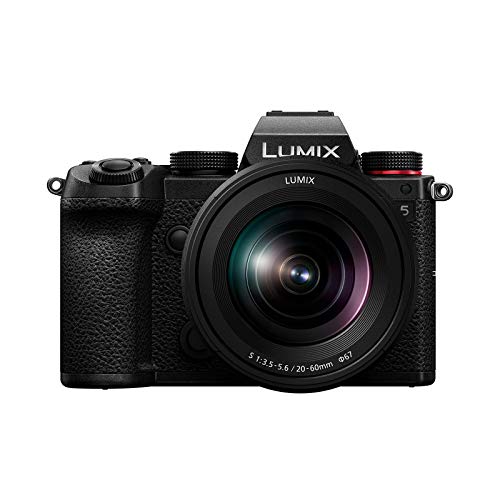
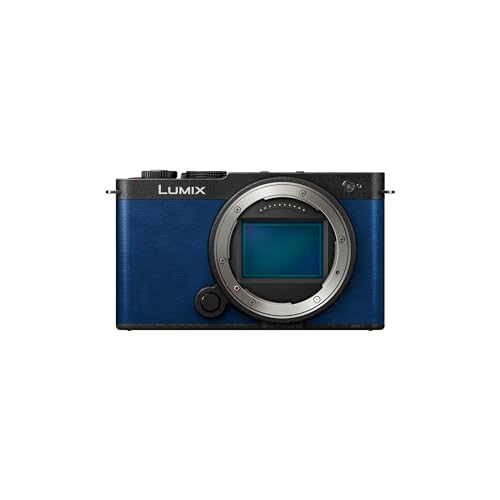
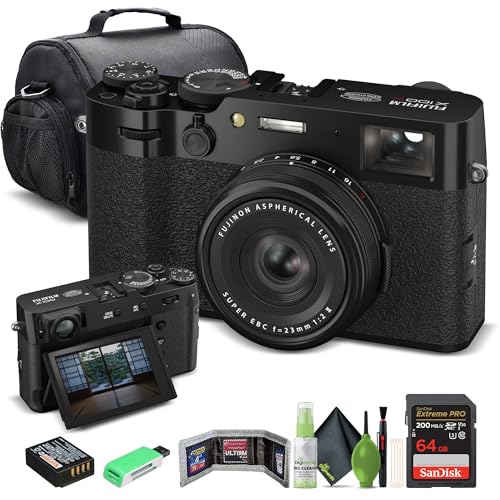
¿Qué marcas fabrican las mejores cámaras 4K?
Las mejores marcas de cámaras 4K se clasifican a continuación:
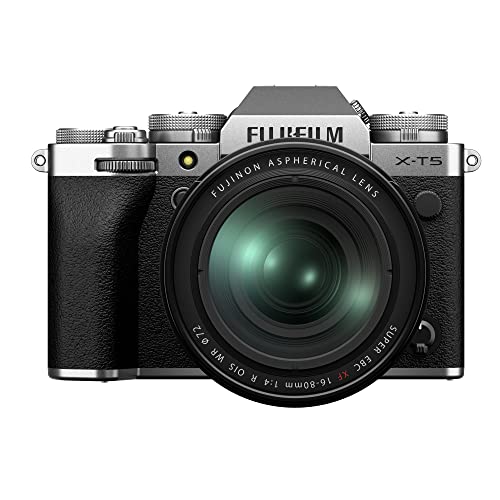
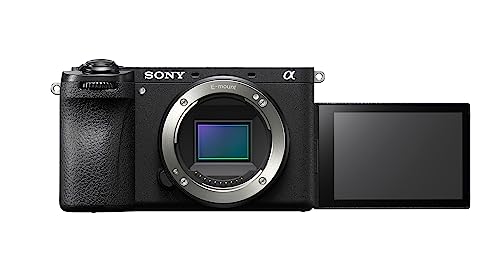
- Sony (Puntuación general media: 8.6)
- Fujifilm (Puntuación general media: 8.4)
- OM System (Puntuación general media: 8.1)
El siguiente gráfico compara las marcas de cámaras 4K según su puntuación general media.
[horizontal-chart-03805226369860872685004991484177935658460581153823]
¿Qué es una cámara 4K?
Una cámara 4K es una cámara que graba vídeo con una resolución horizontal de al menos unos 4.000 píxeles, normalmente Ultra HD a 3840 × 2160. Ese fotograma contiene unos 8.3 millones de píxeles, cuatro veces el número de píxeles de Full HD a 1920 × 1080.
Algunas cámaras también ofrecen 4K de Digital Cinema Initiatives a 4096 × 2160, ligeramente más ancho y asociado habitualmente a flujos de trabajo cinematográficos. La etiqueta 4K solo describe la resolución de salida; no garantiza una tasa de bits alta, color de 10 bits, lectura rápida del sensor, buen autofoco ni un rendimiento sólido con poca luz, por lo que esas especificaciones deben evaluarse por separado.
¿En qué se diferencian las cámaras 4K de las cámaras Full HD?
Las cámaras 4K capturan cuatro veces más píxeles por fotograma que las cámaras Full HD, por lo que pueden conservar texturas más finas, admitir pantallas más grandes y permitir más reencuadre antes de exportar a 1080p. Ultra HD utiliza 3840 × 2160 píxeles, mientras que Full HD utiliza 1920 × 1080.
La resolución adicional resulta más visible en paisajes detallados, arquitectura, tomas de productos y metraje visto en una pantalla 4K grande. También permite al editor recortar, enderezar o aplicar una estabilización digital moderada y seguir entregando un resultado Full HD nítido. Sin embargo, una imagen 1080p bien procesada puede verse mejor que un 4K suave o muy comprimido procedente de una lectura deficiente del sensor.
Los archivos 4K exigen más almacenamiento, capacidad de procesamiento y energía de la batería. También pueden revelar con mayor claridad el rolling shutter, los límites térmicos, la falta de nitidez del objetivo y los errores de enfoque, por lo que la mejora práctica depende de la tasa de bits, el códec, el recorte del sensor, la velocidad de fotogramas y el ordenador utilizado para editar, no solo de la resolución.
¿Qué calidad de vídeo ofrecen las cámaras 4K?
Las cámaras 4K pueden ofrecer una calidad de vídeo excelente, pero la resolución por sí sola no basta para predecir el resultado. El mejor metraje procede de una lectura detallada del sensor, ruido controlado, autofoco preciso, objetivos adecuados y una compresión que conserve el movimiento y la textura.
El 4K sobremuestreado, creado mediante la lectura de más de 3840 × 2160 píxeles y la reducción de la imagen a 4K, suele verse más limpio y detallado que una grabación con salto de líneas o mucho recorte. Una lectura rápida de ancho completo también reduce la inclinación de rolling shutter cuando la cámara realiza una panorámica o el sujeto se mueve, mientras que un escaneo lento puede doblar las líneas verticales incluso si los fotogramas individuales parecen nítidos.
El color y la compresión afectan a la flexibilidad de gradación. Las cámaras básicas suelen grabar internamente a 8 bits 4:2:0, suficiente para metraje con aspecto acabado y correcciones moderadas; 10 bits 4:2:2 conserva mucha más información tonal y cromática para perfiles log, trabajos con pantalla verde y una gradación más intensa. Las tasas cercanas a 100–200 Mb/s son habituales para 4K de consumo, mientras que los modos intraframe avanzados o de alta velocidad de fotogramas pueden usar 400 Mb/s o más y requerir tarjetas más rápidas.
La calidad con poca luz sigue dependiendo mucho de la superficie del sensor, la apertura, la exposición y el modo de lectura. Un sensor más grande puede conservar sombras más limpias, pero una cámara de sensor pequeño con un objetivo luminoso, estabilización eficaz y buen procesamiento puede producir un mejor resultado a pulso. Comprueba si el modo 4K deseado aplica un recorte, desactiva el sobremuestreo, cambia el autofoco o reduce el tiempo de grabación.
El siguiente gráfico compara la distribución de la tasa de bits de vídeo de las cámaras 4K.
[vertical-chart-05629137111189450978092778634305531214950910223750]
¿Qué velocidades de fotogramas son habituales en las cámaras 4K?
Las velocidades de fotogramas 4K más habituales son 24, 25 y 30 fps, con 50 o 60 fps cada vez más disponibles para un movimiento más fluido. Los trabajos de estilo cinematográfico suelen usar 23.976 o 24 fps, la distribución en regiones PAL utiliza a menudo 25 fps y la grabación general en línea o en regiones NTSC suele usar 29.97 o 30 fps.
Un modo de 50/60 fps resulta útil para deportes, movimiento a pulso y ralentizar el metraje a media velocidad en una línea de tiempo de 25/30 fps. En algunas cámaras introduce un recorte adicional del sensor, menor calidad de sobremuestreo, más rolling shutter, menor capacidad de autofoco, más calor o una tasa de bits mucho mayor, por lo que debe evaluarse como un modo independiente, en lugar de suponer que iguala la calidad 4K a 24/30 fps.
El 4K a 100 o 120 fps se encuentra principalmente en cámaras híbridas avanzadas y orientadas al cine. Permite una cámara lenta pronunciada, pero puede requerir soportes rápidos caros, periodos de grabación más cortos, recorte adicional o menor profundidad de bits; para entrevistas, viajes y vídeos familiares normales, un 4K fiable a 24–60 fps suele ser más útil que una velocidad especializada llamativa.
¿Cuánto cuestan las cámaras 4K?
Las cámaras 4K nuevas suelen costar alrededor de 500–3.500 €, mientras que los cuerpos orientados al cine y los modelos híbridos insignia pueden costar bastante más. Los modelos sin espejo y compactos de entrada de unos 500–900 € suelen ofrecer 4K a 24/25/30 fps, grabación básica de 8 bits, detección facial y entrada de micrófono en los cuerpos mejor equipados.
Entre aproximadamente 900 € y 1.800 €, los compradores pueden esperar un autofoco más potente, un recorte 4K menos acusado, mejor gestión térmica, estabilización integrada en el cuerpo, tasas de bits superiores, visores mejorados y opciones 4K a 50/60 fps más prácticas. Algunas cámaras de esta gama añaden grabación de 10 bits y perfiles log, aunque estos modos pueden tener restricciones de recorte, velocidad de tarjeta o tiempo de grabación.
Los modelos híbridos avanzados de unos 1.800–3.500 € añaden 4K sobremuestreado de ancho completo, 10 bits 4:2:2, velocidades de fotogramas más altas, dos tarjetas, HDMI de tamaño completo y monitorización con auriculares. Los sistemas de cine e insignia pueden superar 4.000–10.000 € por códecs RAW, código de tiempo, refrigeración y conexiones de producción. Los objetivos, las tarjetas rápidas, las baterías, el audio y el almacenamiento aumentan considerablemente el coste del equipo, por lo que la mayoría de los creadores obtiene más beneficio de un cuerpo híbrido equilibrado y buen sonido que de un modelo cinematográfico insignia.
El siguiente gráfico muestra la distribución de precios de las cámaras 4K.
[vertical-chart-17699231039180969817075469224080269340541267341621]
¿Qué exigencias de almacenamiento y batería tienen las cámaras 4K?
Las cámaras 4K requieren bastante más almacenamiento y capacidad de batería que las cámaras Full HD, especialmente con tasas de bits y velocidades de fotogramas altas. A 100 Mb/s, el metraje ocupa unos 750 MB por minuto o 45 GB por hora; a 400 Mb/s, se acerca a 3 GB por minuto o 180 GB por hora antes de contar las copias de seguridad y los archivos de edición.
La velocidad de la tarjeta debe corresponder al códec seleccionado, no solo a la etiqueta 4K. Una tarjeta SD V30 garantiza al menos 30 MB/s de escritura sostenida y es suficiente para muchos modos de 100–200 Mb/s, mientras que los modos intraframe exigentes, 4K a 100/120 fps o RAW pueden requerir V60, V90, CFexpress u otro medio especificado por el fabricante. Deja capacidad para tomas largas y usa tarjetas de listas de compatibilidad probadas, porque la velocidad máxima impresa en la tarjeta no es lo mismo que la velocidad de escritura sostenida garantizada.
La grabación 4K continua también mantiene activos el sensor, el procesador, la pantalla, la estabilización y la interfaz de la tarjeta, por lo que la autonomía es mucho menor de lo que sugieren las clasificaciones CIPA para fotografía. Una batería puede ofrecer aproximadamente 60–120 minutos de vídeo práctico según la cámara, la temperatura, el autofoco, el brillo de la pantalla y el modo de grabación; USB-C Power Delivery, una batería de repuesto y la compatibilidad con alimentación externa se vuelven importantes para entrevistas, eventos, streaming y time-lapse.
¿Qué debes comprobar antes de comprar una cámara 4K?
Antes de comprar una cámara 4K, ten en cuenta los siguientes factores:
- Resolución 4K y lectura del sensor: Confirma si la cámara graba 3840 × 2160 Ultra HD, 4096 × 2160 DCI 4K o ambos, y si la imagen utiliza todo el ancho del sensor, una zona sobremuestreada o un recorte. El sobremuestreo suele conservar un detalle más fino y reducir el aliasing, mientras que un recorte acusado estrecha el campo de visión y puede empeorar el rendimiento con poca luz. Comprueba la lectura exacta por separado en cada velocidad de fotogramas que esperes utilizar.
- Velocidades de fotogramas y restricciones de modo: Mira más allá del 4K básico a 24/25/30 fps si importan el deporte, el movimiento a pulso o la cámara lenta; 4K a 50/60 fps es un avance práctico, mientras que 100/120 fps es más especializado. Las velocidades superiores pueden aplicar un recorte adicional, reducir la profundidad de bits, desactivar algunas funciones de autofoco o estabilización, aumentar el rolling shutter o acortar el tiempo de grabación. Verifica estas dependencias con el ajuste regional y el códec previstos.
- Profundidad de bits, muestreo cromático y perfiles: 8 bits 4:2:0 es suficiente para metraje listo para usar y correcciones ligeras, mientras que 10 bits 4:2:2 ofrece mucho más margen para grabación log, ajustes de tonos de piel, trabajos con pantalla verde y una gradación intensa. Confirma si 10 bits es interno o solo por HDMI y qué velocidades de fotogramas lo admiten. Un perfil log no resulta automáticamente beneficioso si el flujo de trabajo carece de exposición, monitorización y gradación correctas.
- Códec, tasa de bits y soportes: Comprueba si la cámara ofrece H.264/AVC, H.265/HEVC, grabación intraframe, ProRes o RAW y si el ordenador de edición puede decodificar el formato elegido con fluidez. Un modo de 100 Mb/s utiliza unos 45 GB por hora, mientras que 400 Mb/s se acercan a 180 GB por hora; ajusta la velocidad de escritura sostenida necesaria a V30, V60, V90, CFexpress o la lista de tarjetas aprobadas por el fabricante. Incluye la capacidad para copias de seguridad y archivo en el presupuesto.
- Autofoco durante el vídeo: Evalúa la detección de rostros y ojos, el seguimiento de sujetos, las transiciones de enfoque y el enfoque táctil en el modo 4K exacto, en lugar de confiar en afirmaciones sobre el autofoco fotográfico. Algunas cámaras reducen la cobertura o la respuesta del autofoco a velocidades de fotogramas altas, con poca luz o durante la grabación externa. Para entrevistas y sujetos móviles, unas transiciones suaves y predecibles pueden ser más valiosas que el reenfoque más rápido posible.
- Estabilización y rolling shutter: La estabilización integrada en el cuerpo y la óptica pueden reducir el temblor a pulso, mientras que la electrónica suele añadir un recorte y puede deformar el movimiento cerca de los bordes. La estabilización no puede corregir una fuerte inclinación de rolling shutter provocada por una lectura lenta del sensor durante panorámicas o acción rápida. Compara el rendimiento al caminar a pulso y el comportamiento en panorámica con la resolución y velocidad de fotogramas necesarias.
- Calor y duración de grabación: Comprueba los límites fijos de los clips, avisos térmicos, tiempo de recuperación y si 4K a 50/60 o 100/120 fps se sobrecalienta antes que 24/30 fps. Una cámara que graba indefinidamente en una habitación fresca puede detenerse antes bajo el sol directo o dentro de una jaula con poco flujo de aire. Las entrevistas largas, los eventos y el streaming necesitan refrigeración fiable, alimentación externa y un comportamiento de reinicio predecible.
- Conexiones de audio y monitorización: Una entrada de micrófono de 3.5 mm es un mínimo útil, mientras que una salida de auriculares permite detectar ruido, saturación o un micrófono desconectado durante la grabación. Los trabajos avanzados pueden beneficiarse de accesorios de audio digital, adaptadores XLR, HDMI de tamaño completo, salida HDMI limpia, código de tiempo y controles de nivel separados. Confirma que los puertos sigan accesibles con la pantalla, la jaula y el grabador externo instalados.
- Batería, pantalla, manejo y coste del sistema: Una pantalla totalmente articulada ayuda a grabarse uno mismo y con ángulos difíciles, pero el brillo, los controles táctiles, el comportamiento del visor, la comodidad de la empuñadura y el acceso a los botones importan durante las tomas largas. Cabe esperar que la autonomía 4K práctica sea mucho menor que la cifra CIPA de fotografía; comprueba USB-C Power Delivery, disponibilidad de baterías, costes de objetivos, tamaños de filtros, precios de tarjetas y peso total del equipo de trabajo. El mejor cuerpo es el que sigue siendo utilizable después de añadir el objetivo, el micrófono, el soporte, la alimentación y el almacenamiento necesarios.